Your screen stays put.
The app moves to a separate virtual display. Your computer’s own screen keeps its resolution and layout.
 VibeDesk
VibeDesk · Remote desktop app
VibeDesk is a remote desktop app for your phone. It shows one app from your Mac or Windows PC and resizes it to fit, so text stays readable and buttons stay tappable. Use it with ChatGPT, Claude Code, Codex, Cursor, Terminal or any other app.
Free on Mac and Windows. Phones and tablets get 1 free hour every month.
The difference
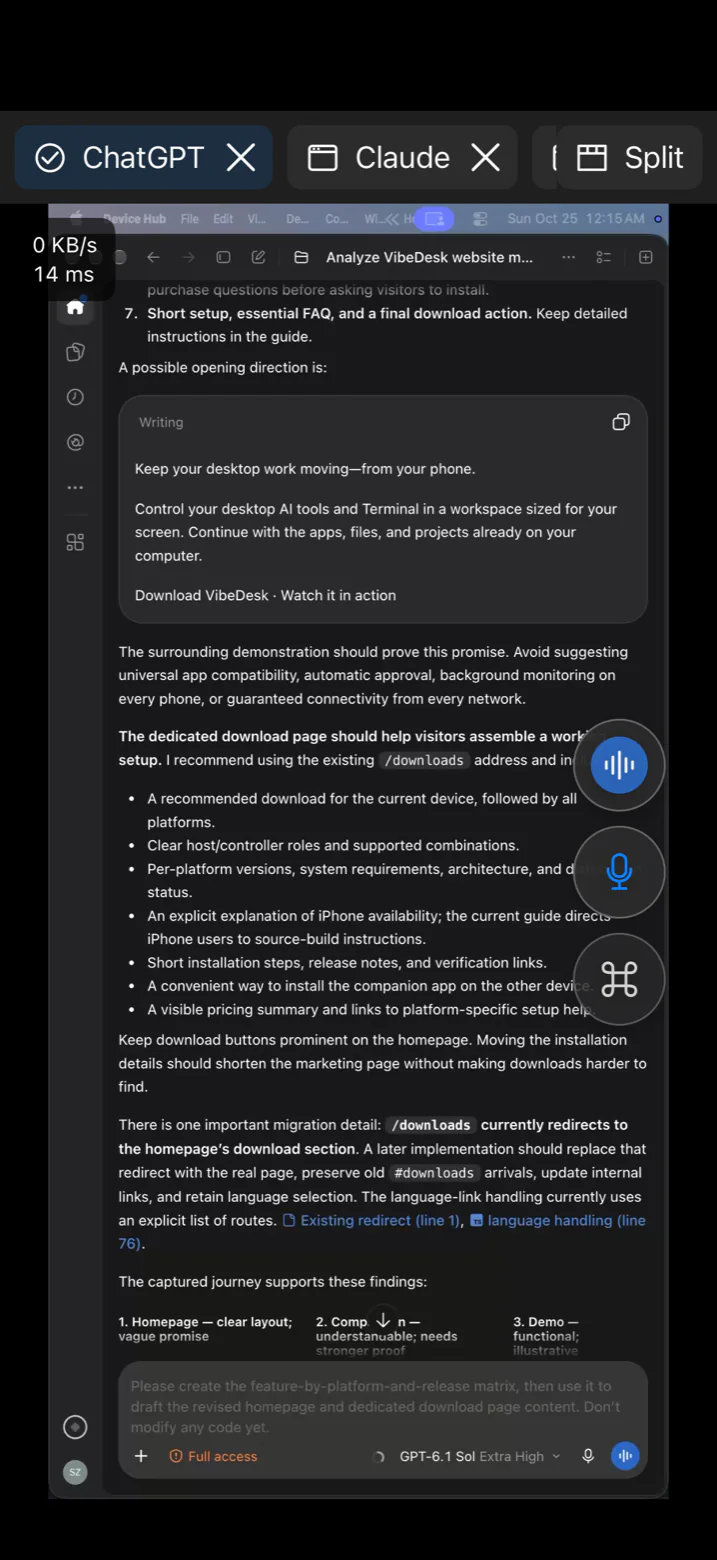
Most remote desktop apps send your entire screen and shrink it to fit your phone. VibeDesk moves the app you pick to its own virtual display, sized for your phone, and the app lays itself out for that size.
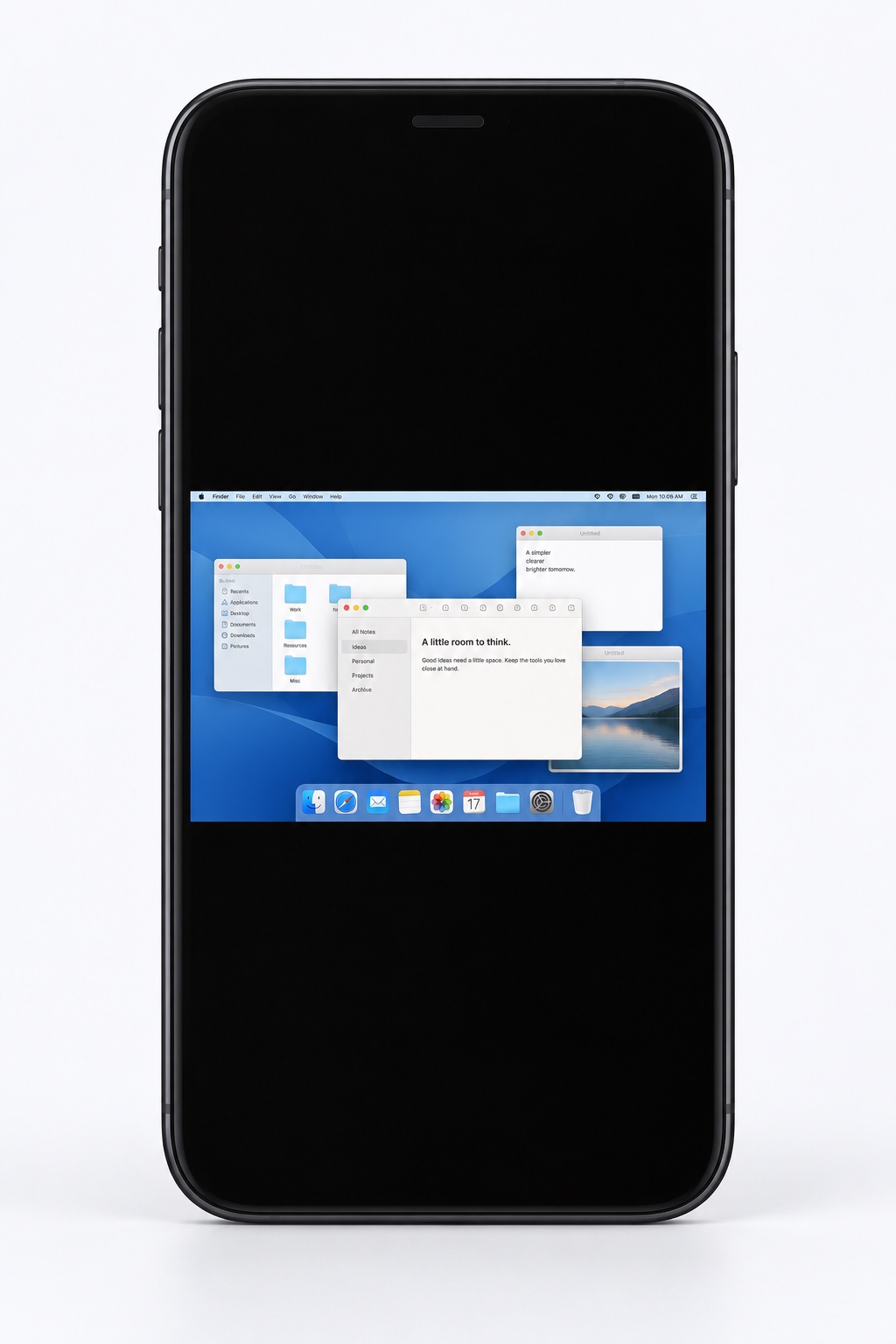
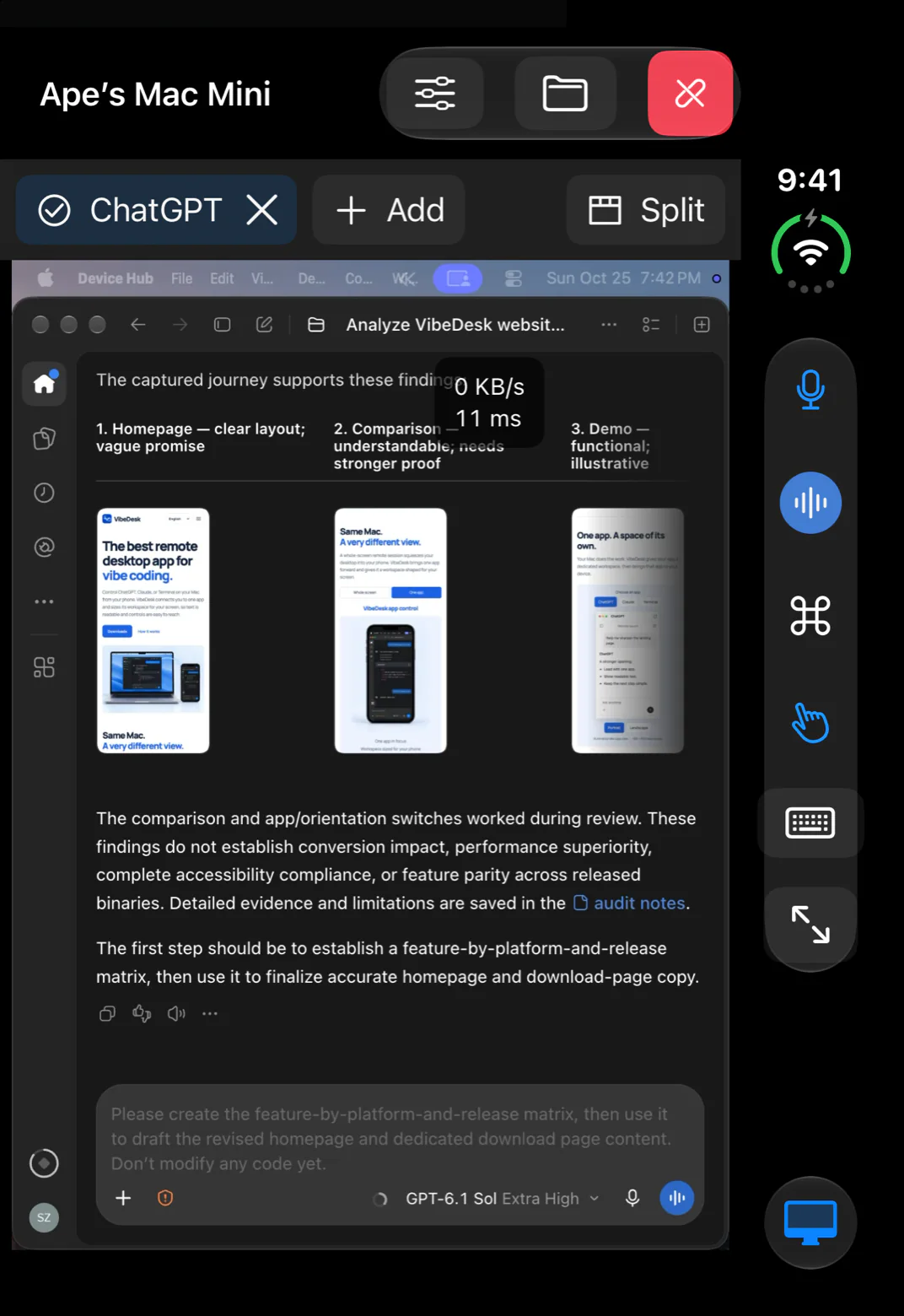
The typical remote desktop view is an illustration. The VibeDesk view is a real screenshot.
The app moves to a separate virtual display. Your computer’s own screen keeps its resolution and layout.
When you stop, every window returns to where it was, at its original size.
Portrait or landscape, a preset for your device, or your phone’s exact screen size.
Features
All screenshots are real, taken on iPhone, iPad and iPhone Duo.
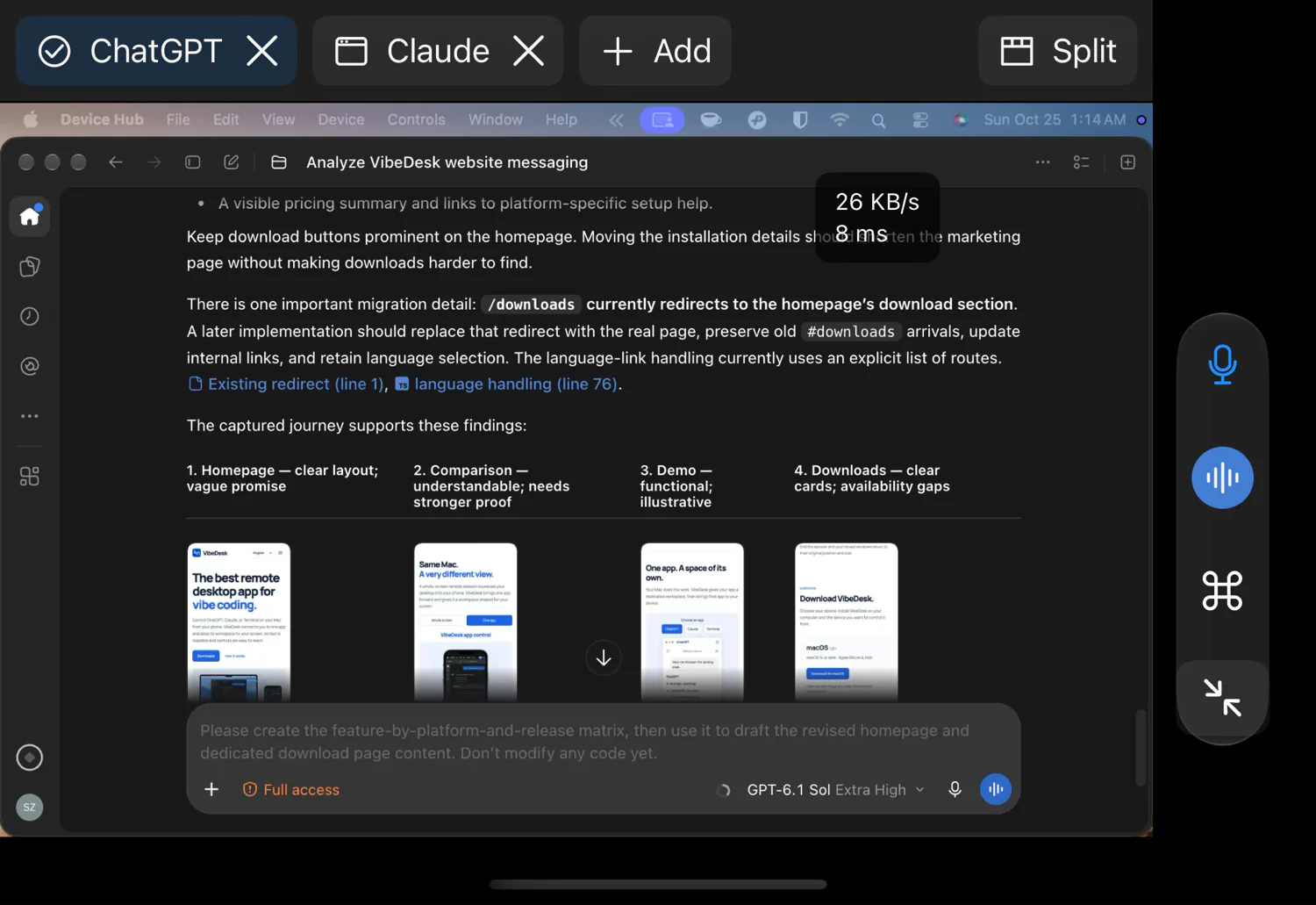
AI apps
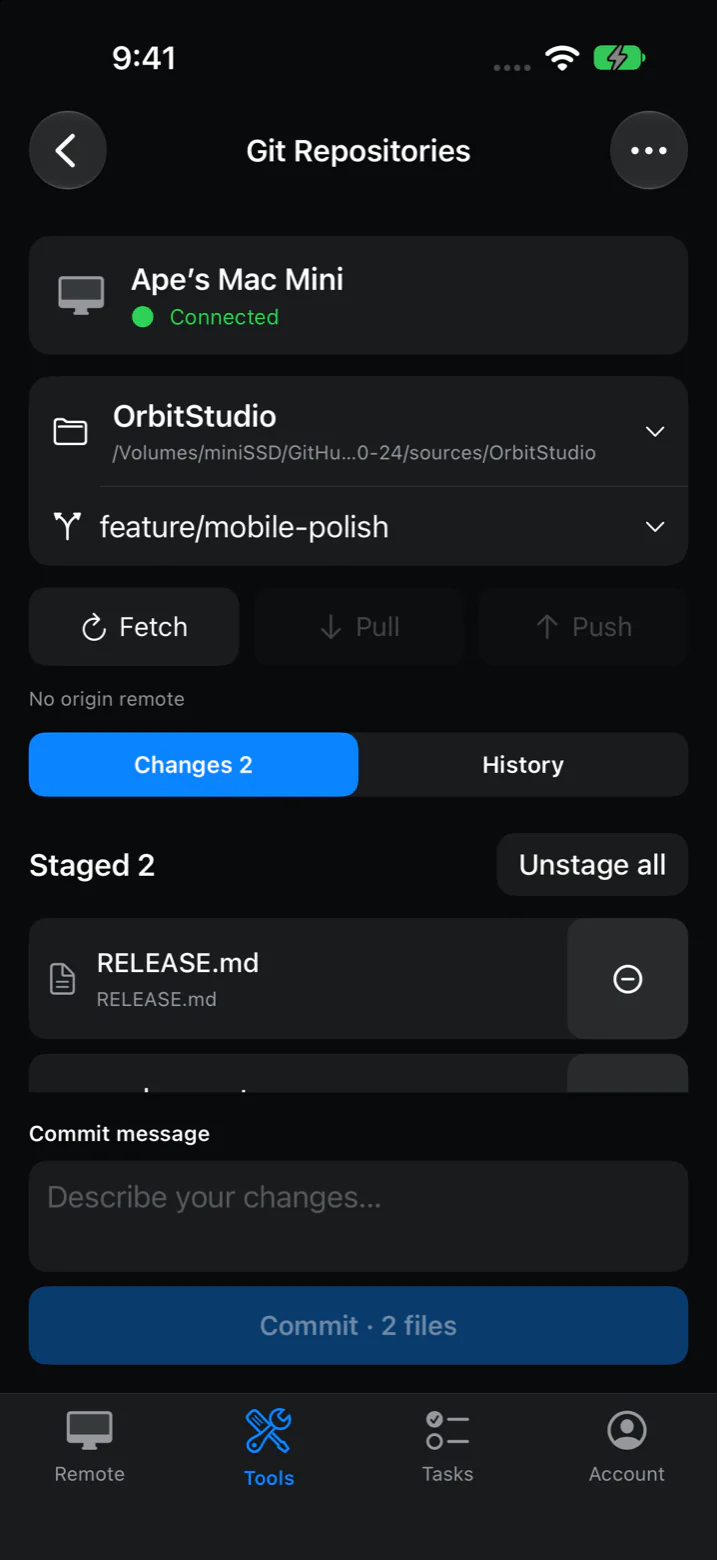
Git Repositories
See which files changed, stage them, write a message and commit. Pull, push, switch branches, browse history or clone a repository. Git runs on your computer, so your repositories, keys and settings stay there.
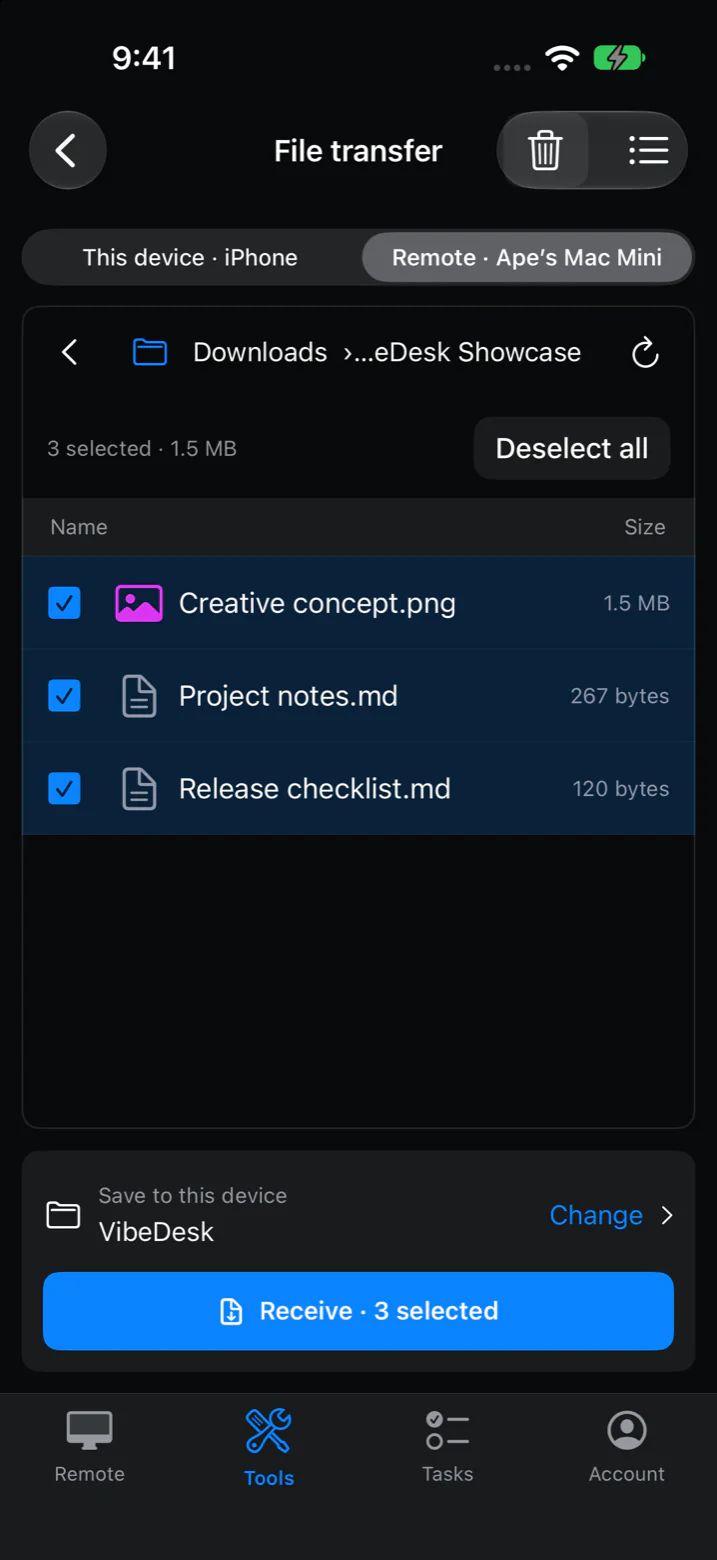
File Transfer
Browse folders on your computer and download what you need, or send photos and files from your phone. Files up to 2 GB are checked when they arrive. Between a Mac and an iPhone or iPad, you can also send whole folders, resume interrupted transfers and share the clipboard.
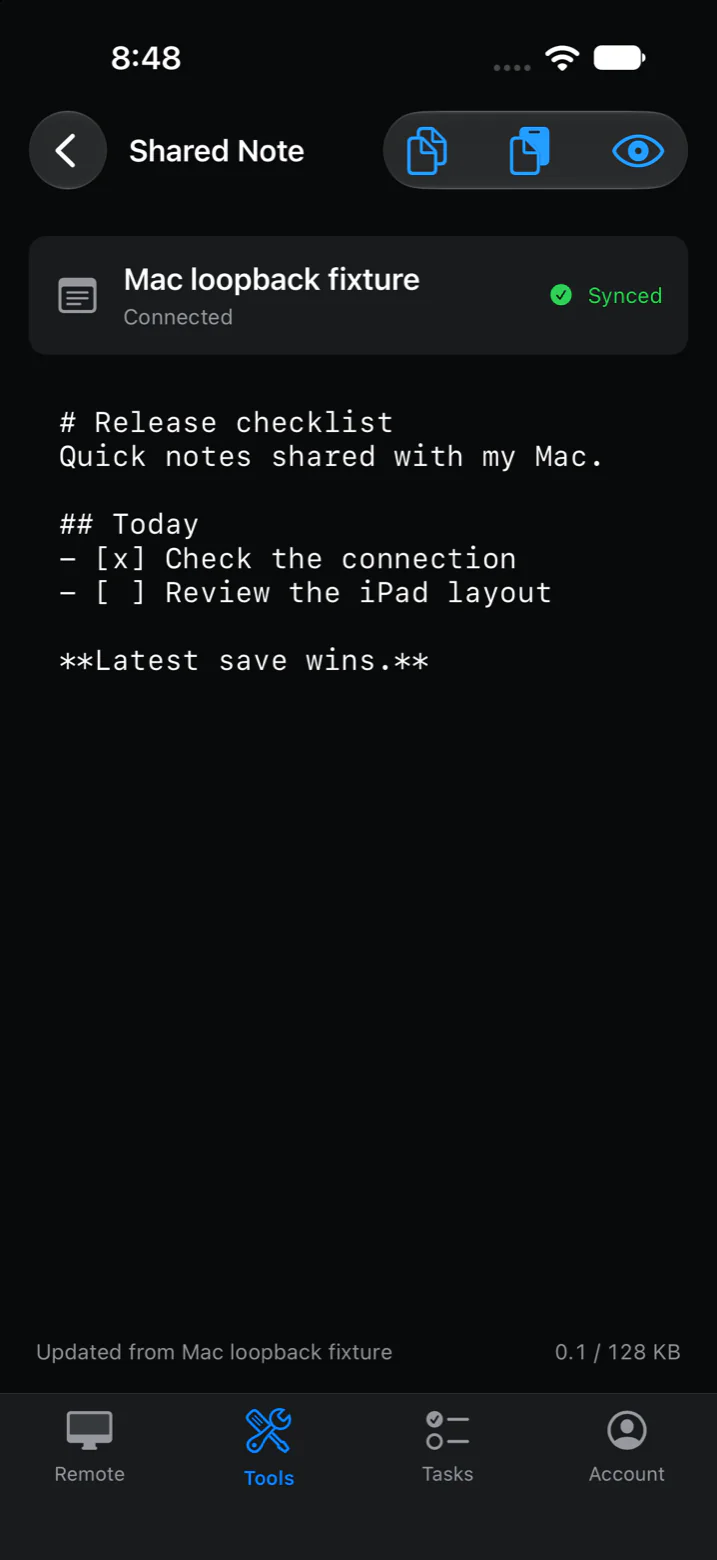
Shared Note
Write a prompt, paste a link or keep a checklist. The note syncs whenever your devices are connected, with Markdown preview and one-tap copy and paste. You don’t need to open a remote app to use it.
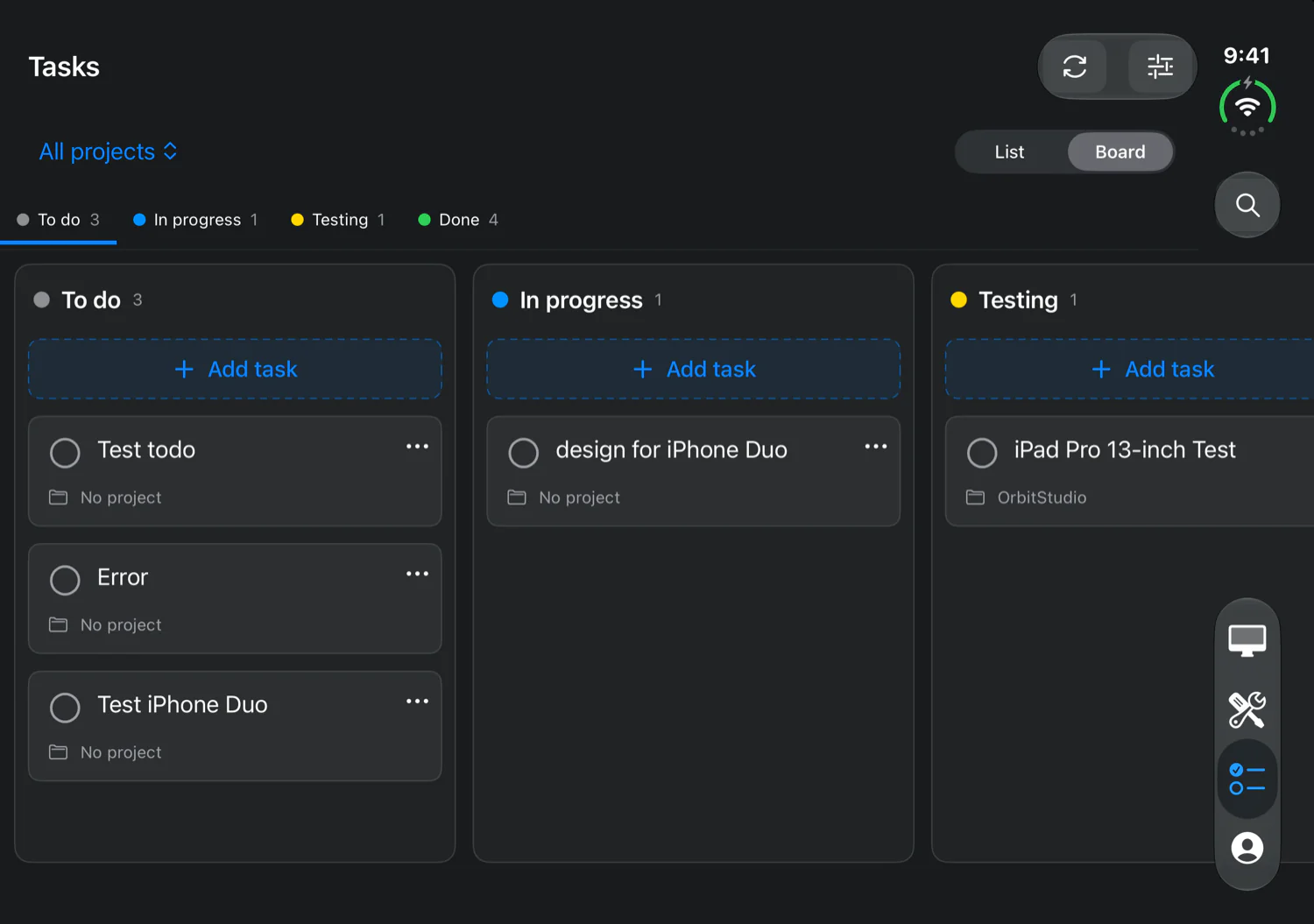
Tasks
A to-do list and board that syncs across all your devices through your account. Projects come from your Git repositories, and you set your own statuses and priorities. Tasks work without connecting to a computer and don’t use your free mobile time.
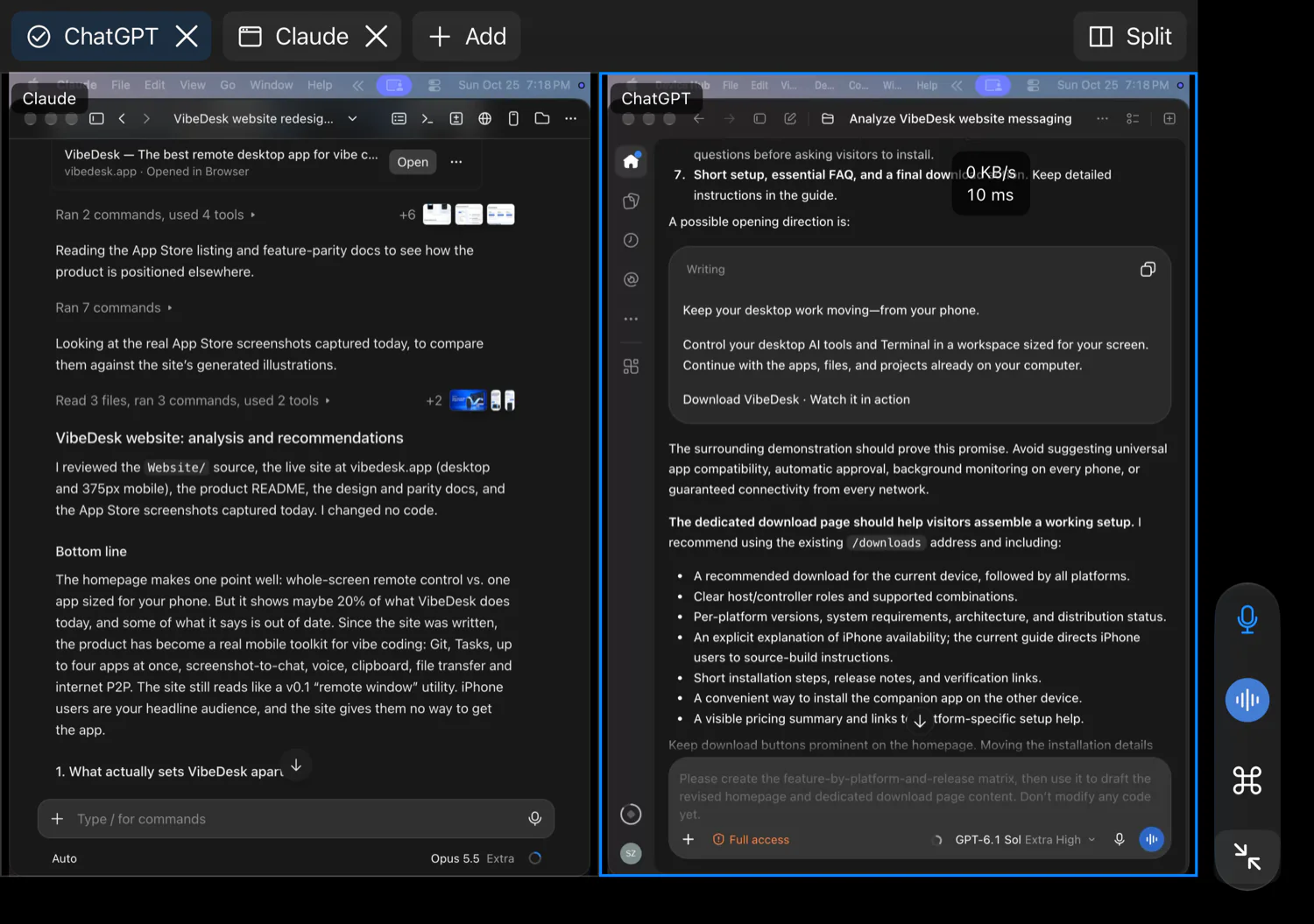
Multiple apps
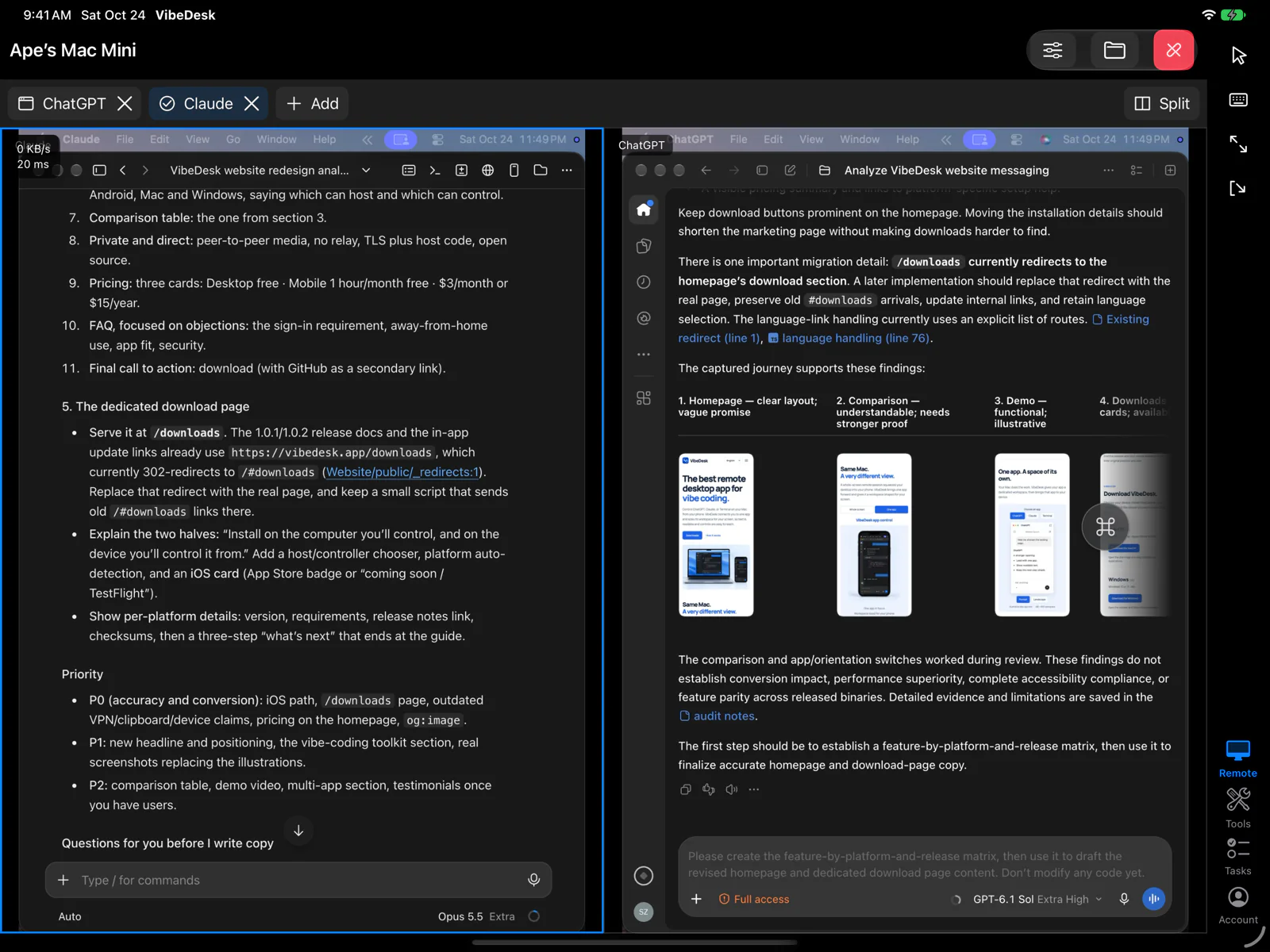
Open ChatGPT, Claude, your editor and Terminal as tabs. Switch with a tap, or split the screen to see two at once on iPhone, iPad and Mac. Each app streams separately, with its own size and quality.
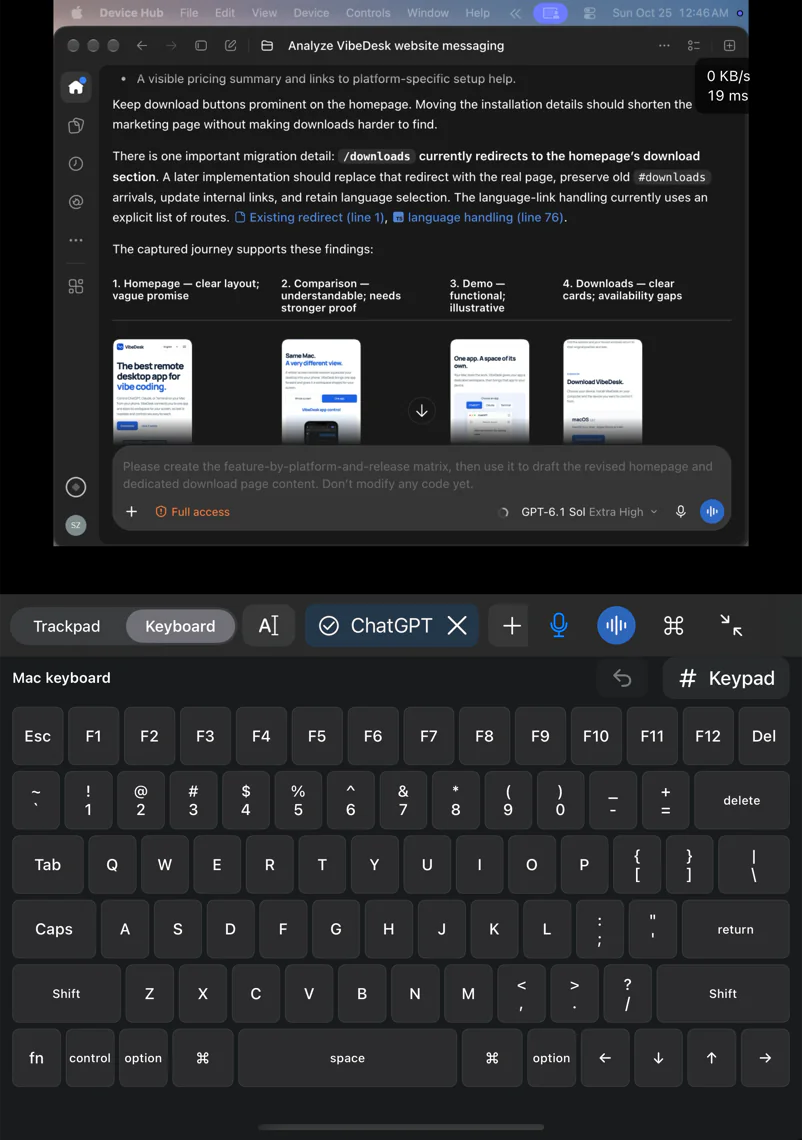
iPhone Duo
The app fills the top screen. The bottom screen becomes a full Mac or Windows keyboard, or a trackpad.
Tap the app directly, or use the screen as a trackpad for precise clicks. Pinch to zoom up to 4× on iPhone and iPad.
Hear audio from your Mac on iPhone and iPad.
Up to 60 fps with hardware HEVC or H.264, Retina detail, and live speed and latency on screen.
Reopen the apps you used last time with one tap, at the same size and quality.
Stop your computer from sleeping while you’re away.
Control a Mac or a Windows PC from a phone, a tablet or another computer.
Compare
Remote desktop apps were designed for IT support on a big screen. VibeDesk is designed for using your own computer from a phone.
| Typical remote desktop | VibeDesk | |
|---|---|---|
| On your phone | The whole desktop, scaled down | One app, laid out for your screen |
| Your computer’s screen | Mirrored, or resized to match your phone | Unchanged. The app moves to a virtual display |
| Several apps | One screen at a time | Up to 4 apps, as tabs or split screen |
| Developer tools | Rarely included | Git, tasks, shared note and file transfer |
| AI apps | No special support | Built for ChatGPT and Claude Code: approvals, voice, screenshots and shortcuts |
| Connection | Often through the vendor’s relay servers | Directly between your devices |
| Price | Varies | Mac and Windows: free. iOS and Android: 1 free hour every month. Mobile Pro: $4.99 a month or $19.99 a year. |
“Typical” means the default behavior of general-purpose remote desktop apps. Individual apps vary.
Privacy
Video, input, audio and files go straight between your devices, encrypted. Our servers handle sign-in and help your devices find each other. They never carry your screen.
Connect on the same Wi-Fi, over the internet with your account, or through Tailscale or another VPN.
A new device needs the six-digit code shown on your computer, even when it’s signed in to your account.
TLS on your local network or VPN, and encrypted WebRTC over the internet.
Phones and tablets get 1 free hour every month. Need more? Mobile Pro is $4.99 a month or $19.99 a year.
FAQ
VibeDesk on the Mac or Windows PC you want to control, and on the phone, tablet or computer you’ll control it from. Sign in with the same account on both.
No. It keeps running on your computer, with your files, settings and logins. Your phone shows it and sends your taps and typing.
Most apps adapt to the new size. If an app has a minimum window size, VibeDesk makes the workspace bigger so nothing is cut off. Landscape helps with wide apps.
Yes. Sign in with the same account on both devices and connect over the internet. If a network blocks direct connections, use Tailscale or another VPN. The setup guide shows how.
SSH gives you a terminal. VibeDesk gives you the terminal plus every other app: ChatGPT, Claude, Codex, your editor and your browser.
VibeDesk for iPhone and iPad is coming soon to the App Store. Until then, you can build it from source with the setup guide.
Free on Mac and Windows. Phones and tablets get 1 free hour every month.